A digital closet organizer built around clothes you own.
Catalog real garments, keep their details editable, and give SELION Agent reliable wardrobe context for outfits, capsules, trips, and daily plans.
From clothing photo to useful wardrobe context.
A digital closet is useful when each item remains reviewable, searchable, and available to the next decision.
For a field-by-field capture workflow and the difference between a personal catalog and retail stock software, read the clothing inventory app guide.
Add a clothing photo and let the app propose a category and visible attributes.
Review color, material, pattern, season, fit, location, and other details instead of treating recognition as final.
Use structured wardrobe data to narrow the catalog to the items relevant to a request.
Ask SELION Agent for an outfit, capsule, trip, or plan, then check the result against the real clothes.
Your catalog stays editable.
Automated recognition can accelerate setup, but difficult lighting, layered garments, unusual fabrics, and ambiguous categories can still produce errors. SELION keeps wardrobe data editable so the person using the closet—not an automated guess—remains the source of truth.
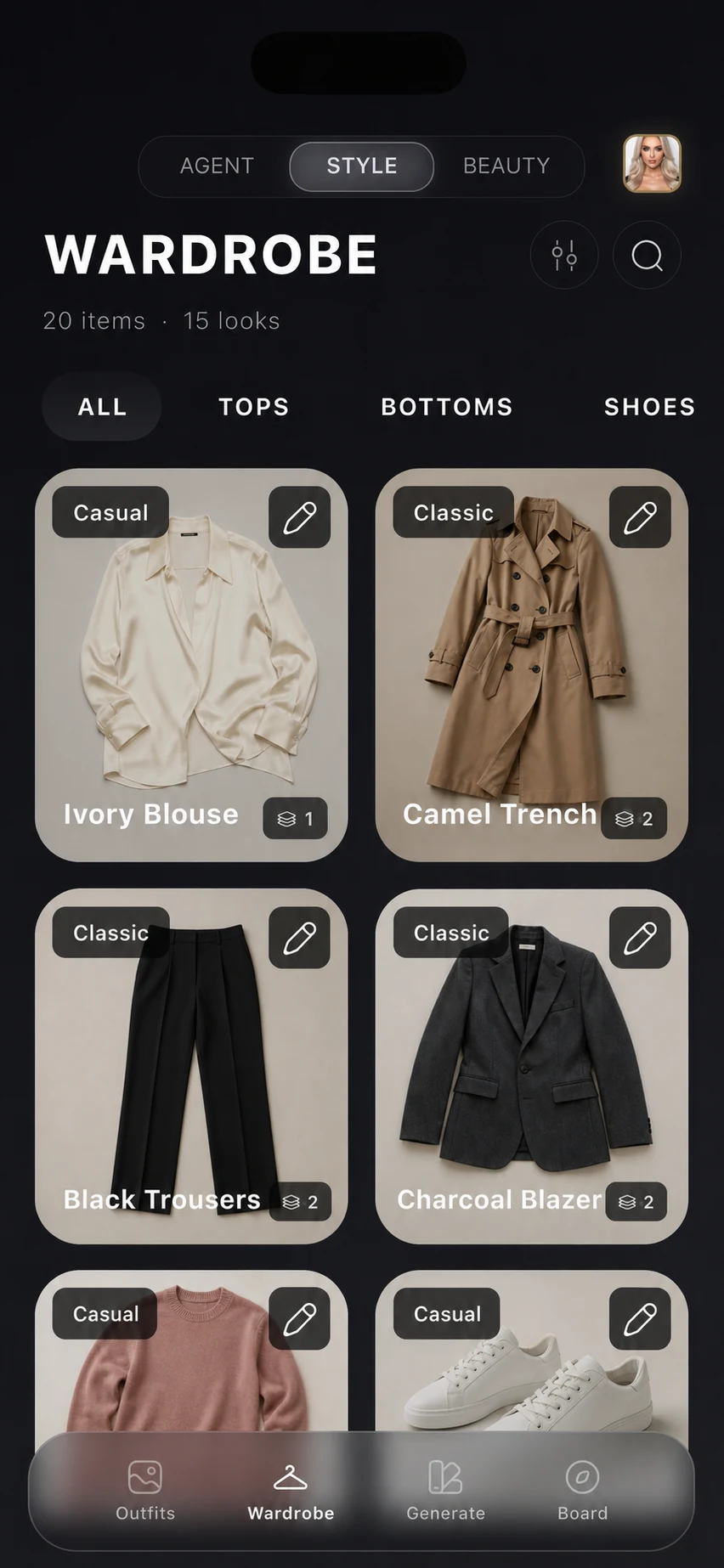
What the organized wardrobe connects.
The catalog is the grounded starting point. These connected workflows still depend on correct item data and the context you provide.
Review and update clothing images, categories, attributes, and storage context.
Group a smaller set of owned items around a season, trip, or specific use case.
Narrow items by the attributes stored in your catalog before making a decision.
Use destination, dates, activities, and wardrobe context to prepare a reviewable packing direction.
Connect saved looks and planned days to the same wardrobe instead of rebuilding item context.
Ask naturally and let the Agent use eligible wardrobe context within the autonomy you choose.
Important limitation: A digital closet cannot confirm physical fit, comfort, garment condition, whether an item is clean and available, or whether a venue accepts an outfit. Check the real clothes before acting on a recommendation.
Built Around Reviewable Wardrobe Context
SELION.AI turns clothing photos into editable wardrobe details that can support a concrete Agent request.
Andrey Fedotov founded and develops SELION.AI as an independent product. The public workflow is intentionally user-verifiable: review the attributes proposed from a clothing photo, correct ambiguous details, choose what context Agent can use, and check the result against real fit, comfort, weather, condition, and dress code.
From One Clothing Photo to an Agent Action
The useful difference is not an internal stack. It is how little coordination the person must do before reaching a reviewable result.
Add one garment without preparing a complex catalog record first.
Review proposed category, color, material, pattern, season, fit, and other visible attributes.
Saved items, preferences, occasion, weather, and plans can clarify the request when available.
Tell SELION Agent the outcome you need instead of assembling a chain of filters.
Eligible actions can ask for confirmation or continue according to the selected mode.
You verify recognition, physical fit, comfort, garment condition, weather, and dress code.
Test the workflow with a small wardrobe.
Add representative items first, correct their details, and confirm that the catalog fits your real routine before expanding it.