AI Wardrobe vs Outfit Generator vs Virtual Try-On
Four tools can appear in the same app and still solve different problems. Use this framework to choose the right one before uploading your closet.
Quick answer: a digital wardrobe records what you own; an outfit generator combines items into looks; an AI stylist helps reason about context and preferences; virtual try-on creates a visual approximation. The best workflow may connect all four, but none is a substitute for the others.
The difference in one table
Digital wardrobe
Input: photos and details of owned clothing.
Output: searchable inventory.
Limit: a catalog alone does not decide what to wear.
Outfit generator
Input: items, prompt, occasion, or style direction.
Output: one or more combinations.
Limit: generic generators may suggest pieces you do not own.
AI personal stylist
Input: wardrobe, preferences, context, and conversation.
Output: reasoned advice or proposed actions.
Limit: advice depends on complete, correct input.
Virtual try-on
Input: a person image and clothing image.
Output: a visual preview.
Limit: a preview does not prove physical fit, comfort, or fabric behavior.
Choose a wardrobe when organization is the first problem
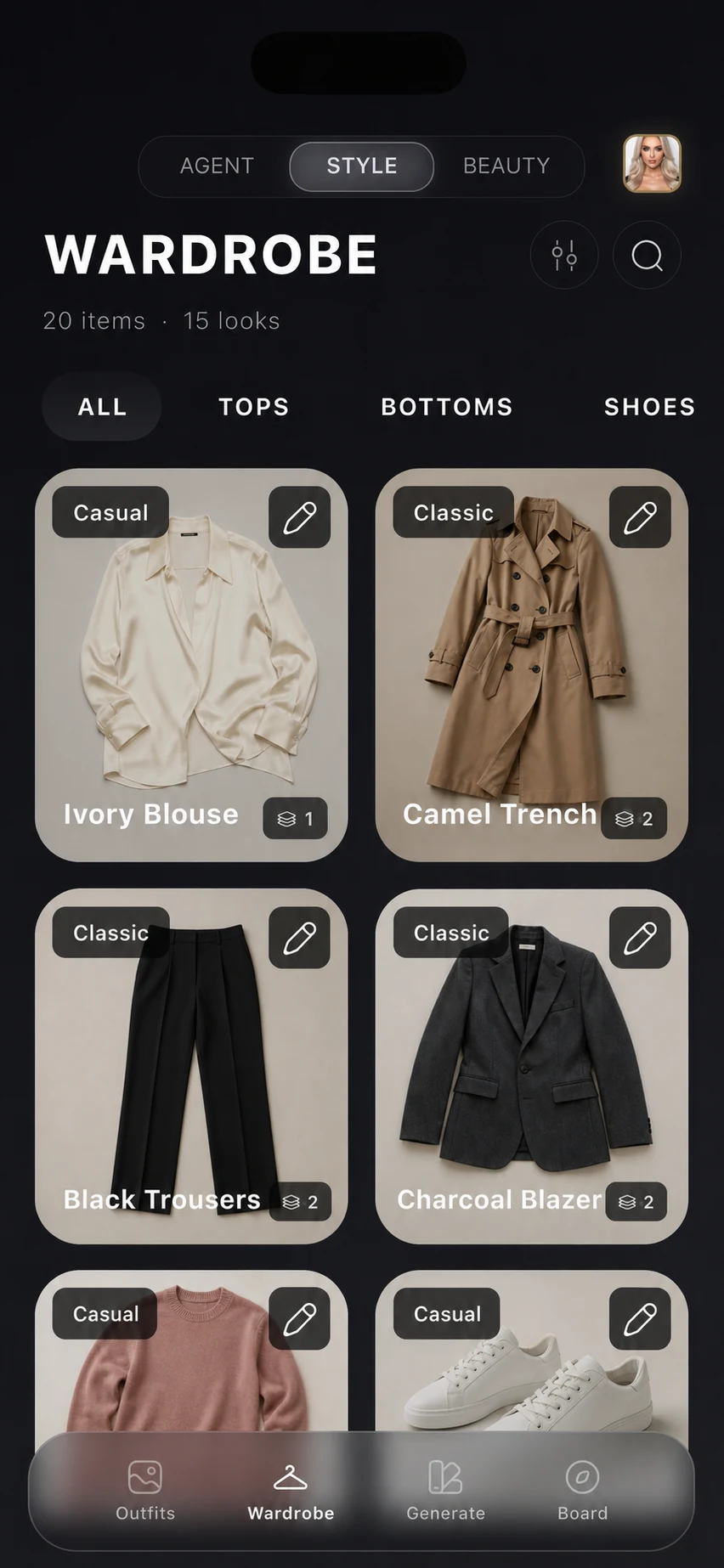
Start with a digital wardrobe if you forget what you own, buy duplicates, cannot find items, or want a reliable base for planning. The current SELION AI wardrobe overview shows how this product layer connects owned-item records with later decisions. The quality of later AI output depends on this inventory. Useful fields include category, color, season, material, formality, warmth, pattern, location, and availability, but every field should remain editable.
Choose an outfit generator when combinations are the problem
An outfit generator is useful when the closet is already captured and you want combinations for work, weather, travel, or an event. Before trusting it, verify whether each result uses owned items or produces shopping inspiration. Both behaviors can be useful, but they answer different questions.
Test the generator with a constrained prompt: “Use only items in my wardrobe, include rain-ready shoes, and keep the outfit business casual.” A grounded result should make it possible to identify every piece and revise the direction.
Choose an AI stylist when the decision needs conversation
A personal stylist layer is helpful when the request is ambiguous or iterative: “Why does this feel too formal?”, “What am I missing for a three-day work trip?”, or “Give me a warmer version without changing the shoes.” Conversation becomes valuable when it can use wardrobe data and carry forward explicit preferences rather than restarting from a blank prompt.
Choose virtual try-on when you need a visual hypothesis
Virtual try-on can help compare directions before changing clothes or making another decision. Treat the image as a visual hypothesis. Camera angle, lighting, body representation, garment drape, and missing measurements can all affect the preview. Always confirm the real garment in person before relying on fit or suitability.
A connected workflow
- Capture and correct a representative wardrobe.
- Ask the stylist to define the constraints for an actual situation.
- Generate combinations from owned items.
- Use virtual try-on only where a visual comparison adds value.
- Save, reject, or revise the result so the next decision has better context.
The sequence matters. Starting with a polished generated image can feel impressive while bypassing the harder problem: whether the recommendation works with your clothes, context, and real-world constraints.
Where SELION.AI fits
SELION.AI combines a digital wardrobe, wardrobe-aware SELION Agent, outfit generation, virtual try-on, weather-aware context, capsule and trip planning, analysis, and fashion and beauty tools. The product emphasis is the Agent: conversation can connect the other capabilities instead of leaving them as unrelated utilities.
SELION.AI is available for iOS and Android and is free to download with optional subscriptions and in-app purchases. Storefront availability and price can vary, so verify the current official listing and live purchase screen.
The decision checklist
- Does the product solve the job you have today?
- Can recommendations use only clothes you own?
- Can you correct item data and explain rejected results?
- Are AI actions visible and controllable?
- Are privacy, deletion, pricing, and platform disclosures current and easy to find?
- Are virtual results presented with realistic limitations?
Frequently asked questions
Is an AI wardrobe the same as an outfit generator?
No. An AI wardrobe organizes clothing you own. An outfit generator creates combinations. A product can connect both, but the inventory and generation jobs remain distinct.
Is virtual try-on accurate enough to replace trying on clothes?
No visual preview can prove physical fit, comfort, fabric condition, or suitability. Use virtual try-on to compare directions, then verify the real garment.
Which tool should I start with?
Start with the job causing the most friction. If you do not know what you own, build the wardrobe first. If the inventory is ready but combinations are hard, test a grounded outfit generator or conversational stylist.
Try the workflow with your real wardrobe
Review the official app listing and current privacy information, then start with a small, correctable wardrobe sample.
View official download options