How to Scan Clothes Into a Digital Wardrobe
A practical photo-to-closet workflow: capture one item clearly, review proposed details, correct uncertainty, and reuse the saved record as Agent context.
Quick answer: photograph one garment in even light against a contrasting background, let the app propose a cutout and item details, then review every field before saving. The useful result is not merely a clean image; it is an editable wardrobe record that can support search, outfit generation, and SELION Agent requests.
What scanning clothes actually means
In a wardrobe app, “scan” usually describes a short recognition workflow rather than a hardware scanner. A photo becomes a proposed item image plus structured details. Depending on the photo and current feature, those details can include category, color, material, pattern, season, warmth, formality, fit, and other attributes.
How to photograph a garment clearly
- Capture one main item at a time.
- Use diffuse daylight or even indoor light without strong color casts.
- Choose a background that contrasts with the garment edges.
- Keep sleeves, hems, and important details visible.
- Avoid overlapping clothes, hands, hangers, and deep folds when possible.
Black clothing on a dark surface and white clothing against a bright wall are difficult because the boundary becomes ambiguous. Reflective, sheer, layered, or patterned items also deserve an extra check.
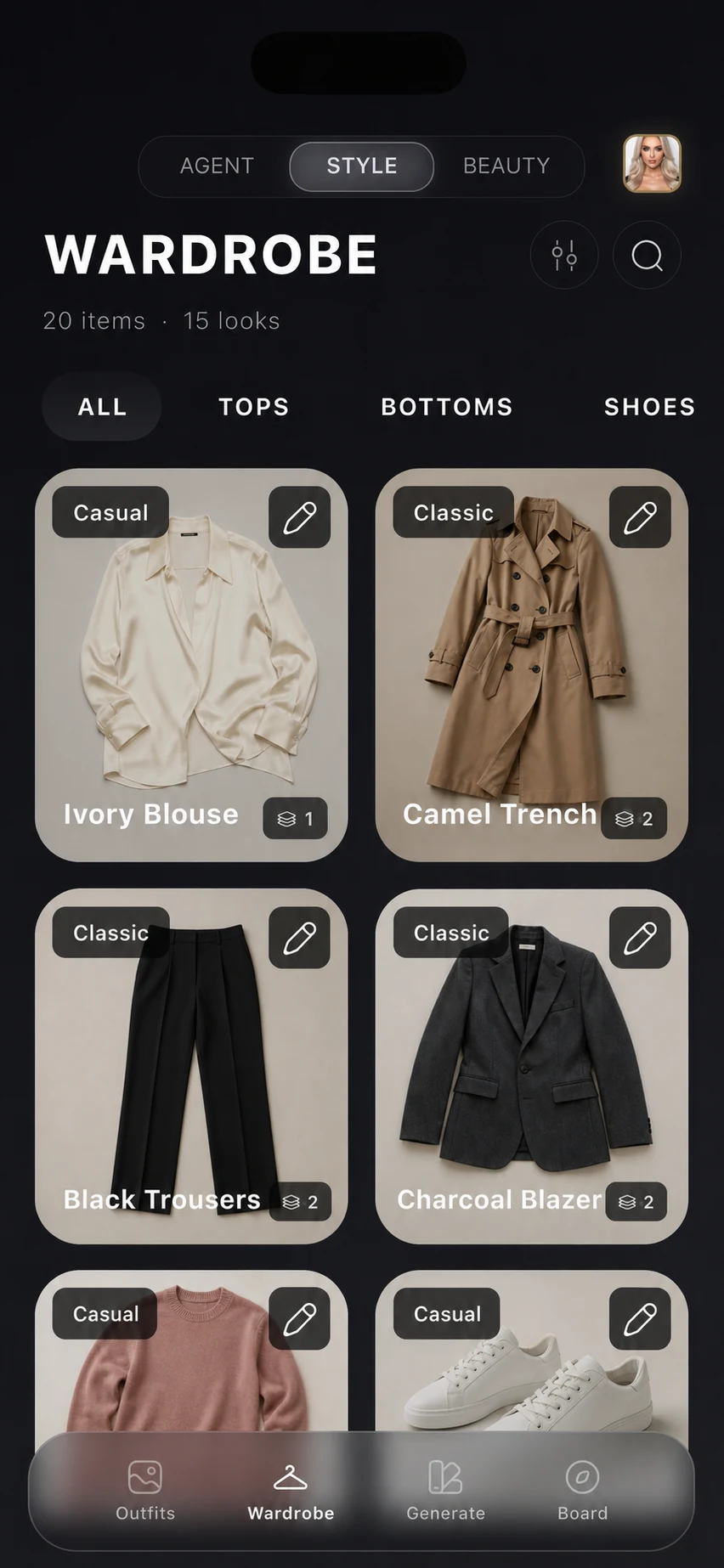
Proposed attributes are not verified facts
Recognition reduces repetitive entry, but the image does not reveal everything reliably. Lighting can shift color; a photograph may not distinguish similar materials; folds can change silhouette; and season or formality can depend on how the item is used. Treat every field as a proposal until you check it.
Category and type
Check ambiguous layers such as overshirts, lightweight jackets, cardigans, and dresses worn as tunics.
Color and pattern
Verify the main color in neutral light and note prints that a small crop may hide.
Material and warmth
Use the care label and your own knowledge when texture alone cannot identify a blend.
Fit and formality
A flat garment photo cannot prove how it fits your body or whether it meets a specific dress code.
Correct the record before reusing it
Fix the cutout and any important field while the real garment is nearby. A corrected item improves filters and prevents the same mistake from reaching later suggestions. The system should let you edit the record without forcing a new upload.
Save location and retrieval context
If you use wardrobe locations, assign the item to the place where it can actually be found: main closet, seasonal storage, travel bag, or another user-defined location. Location is operational context. Removing a location should also remove or update stale filters so an empty category does not remain selected.
How SELION Agent reuses the item
After saving, the item can become wardrobe context for a natural-language request. You can ask the Agent to work with an occasion, available weather, a preferred direction, or specific garments. Because the record is editable, you can correct the input first and then request a different action without describing every attribute again.
A five-item recognition test
- A plain light top with a clear outline.
- A dark garment with subtle texture.
- A patterned item with more than one color.
- A structured layer such as a blazer or jacket.
- Shoes or an accessory with reflective details.
For each item, check the cutout, category, main color, material, pattern, season, warmth, formality, fit, and location. This small set reveals whether the workflow is useful before you digitize an entire closet.
Recognition and real-world limits
A photo cannot confirm fabric composition, garment condition, physical fit, comfort, exact shade under every light, or whether the item is clean and available. Review the saved data and the actual garment before relying on it for a consequential plan.
After testing the capture step, inspect the current digital wardrobe product workflow to see how corrected records remain available for organization and later Agent requests.
Give SELION Agent a real wardrobe task
Start with a small editable wardrobe, describe the outcome once, and review the action and result.
View official download optionsFrequently asked questions
Can I scan clothes into a digital wardrobe from photos?
Yes. A wardrobe app can use a garment photo to propose a cutout and structured item details. You should review and correct the result before saving it as wardrobe context.
What clothing details can a photo recognition app propose?
Depending on the photo and current feature, proposed details can include category, color, material, pattern, season, warmth, formality, fit, and other searchable attributes.
Do I need perfect studio photos?
No, but one visible garment, even light, a contrasting background, and clear edges make the result easier to review. Difficult materials, folds, and overlapping items may need correction.