AI stylist prompts for your real wardrobe
Describe the day, name the clothes and set the boundaries. These requests turn a vague styling question into a decision you can actually review.
Quick answer: useful AI stylist prompts name the occasion, available clothes, practical constraints and the result you want. Start with “Use my saved wardrobe for [occasion], keep [item], avoid [constraint], and suggest [output].” Then correct the actual garments and assumptions. A longer prompt is only helpful when its extra detail changes the decision.
This is a request-writing guide, not a comparison of stylist apps. The examples below are illustrative briefs you can adapt; they are not reported customer results. For the broader product workflow, see how a wardrobe-aware personal stylist works.
A prompt formula you can reuse
Use the clothes saved in my wardrobe for [occasion]. I expect [weather or indoor conditions] and [activity]. Keep [specific item]. Avoid [practical boundary]. Give me [number and type of options], explain the main trade-off, and flag anything you cannot verify.
You do not need to fill every bracket. A dinner outfit might depend on venue, shoes and an outer layer. A week plan also depends on laundry and what happens on each day. Include information because it matters to wearing the result, rather than because a prompt template contains a space for it.
Name an item in a way you can identify later: “the navy single-breasted blazer” is more useful than “that jacket.” If several saved items look similar, inspect the selected garment before accepting the combination. A styling reply can be fluent while using the wrong record.
Give the helper reliable wardrobe context
An AI outfit helper with no access to your clothes may describe a plausible outfit that you cannot wear. In a wardrobe-aware workflow, begin with a small relevant set of photographed clothes, review their details, and then ask for combinations. The photo-to-wardrobe guide explains that preparation.
Check color, category, warmth and formality when they affect the request. State temporary facts separately: a shirt is in the wash, a shoe causes discomfort, a jacket is at another address. An item being saved does not mean it is available today. Do not assume the assistant knows those changes.
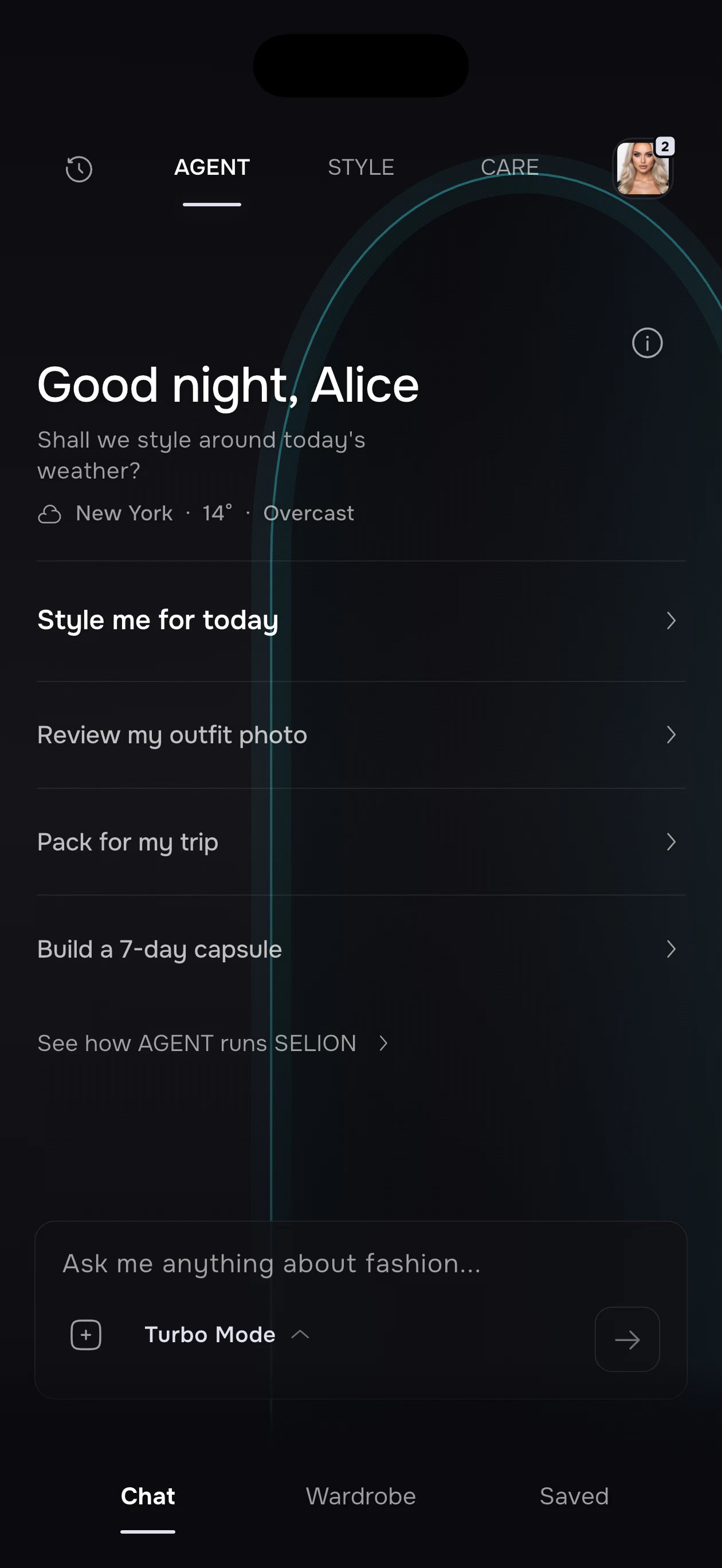
Four prompts for daily outfit decisions
1. A workday with a real commute
Use my saved clothes for a business-casual workday. I will walk for part of the commute and work indoors. Keep the navy trousers, use flat shoes, and offer two removable-layer options. Explain which is more suitable if the office is warm.
Check the workplace's actual dress expectations. “Business casual” differs between offices. If the result is too formal, say which element causes it rather than asking for a completely new look. Changing the shoe or layer may solve the problem while retaining the useful part.
2. Changeable weather
Plan a look from my wardrobe for a cool morning and warmer afternoon. I expect light rain, will carry a small bag, and want a layer I can remove. Flag any weather assumption I should check before leaving.
Supply the forecast when current weather context is unavailable. Inspect actual rain protection and grip yourself: a saved category or generated picture cannot establish either. If the forecast changes, update the brief before regenerating the entire outfit.
3. A dinner with comfortable shoes
Make my dark jeans suitable for a relaxed restaurant dinner using owned items. Keep the shoes comfortable for walking, avoid a full suit effect, and give me one understated option and one with a stronger color accent.
This requests a meaningful difference between options. “Give me five outfits” can produce five similar combinations. Specifying the contrast makes choosing easier, while the venue and comfort boundaries keep both options relevant.
4. A low-energy morning
Choose between my saved looks for today. I need a comfortable casual outfit, no ironing, and the black sneakers. Give me one main choice and one backup if the top is unavailable.
A narrow request can be more useful than a wardrobe overhaul. Verify which items need ironing or cleaning. Keep the backup genuinely available rather than saving another attractive combination with the same unavailable garment.
Four prompts for changing an existing outfit
5. Keep an item you want to wear
Build around my burgundy knit using saved clothes. Keep the knit, suggest two bottoms and one layer for each, and explain the difference in formality. Do not replace it with a similar item.
An anchor item gives the request a stable center. If the assistant picks the wrong knit, correct the selection before judging the styling. The owned-clothes outfit workflow relies on reviewed records, not simply matching an item name.
6. Make an outfit less formal
Keep this jacket and trousers. Replace only the shoes and top with items I own to make the outfit more relaxed. Show the smallest useful change first.
Limit the edit instead of rewriting the whole outfit. This preserves the decisions that already work. If the result changes everything, repeat the fixed items and ask for a single substitution.
7. Use a neglected garment
Suggest two wearable combinations around the green overshirt I rarely choose. Use familiar pieces I own, include walking shoes, and tell me which context would suit each combination.
Describe the reason for neglect if you know it. An overshirt that is difficult to combine needs a different response from one that is uncomfortable. Styling cannot repair a physical problem; it can help test whether the obstacle is actually the combination.
8. Explain a color choice
Compare an ivory top and a grey top with my navy trousers and brown shoes. Describe the contrast and mood of each. Treat this as a preference decision, not a rule about which color I must wear.
Color descriptions depend on light, screen rendering and garment texture. Compare the actual items near each other before deciding. For more examples, use the navy color-pairing guide without treating any palette as compulsory.
Four prompts for wardrobe planning
9. Plan a mixed week
Prepare a draft week from my saved wardrobe: office Monday and Wednesday, home Tuesday, dinner Thursday and a casual Friday. Reuse pieces when practical, leave the white shirt out, and list assumptions about laundry.
Review the dates and events before saving anything. A draft is not evidence that calendar entries were created. Continue through the available outfit calendar workflow only after checking what the app actually proposes.
10. Pack with a fixed anchor
Draft clothing options for three days away: walking, one meeting and one informal dinner. Use my owned clothes, keep the trench, and point out pieces that serve only one occasion. I will verify the forecast and baggage rules separately.
Inspect the itinerary, repeats and footwear. Wardrobe suggestions do not cover every travel essential. The wardrobe packing guide separates daily clothing decisions from the final physical packing check.
11. Test a possible purchase
I am considering a cream cardigan. Based on the clothes I have recorded, suggest realistic combinations and identify what information is missing. If an owned layer already serves the same role, explain that possibility.
Do not treat a convincing answer as purchase authorization. Check fit, budget, care and return conditions yourself. The clothing purchase checklist supplies a separate decision process.
12. Check an apparent wardrobe gap
My rainy workday outfits keep failing because of footwear. Review the saved options and ask about missing information before suggesting a purchase. Distinguish an incomplete record from a real missing function.
A missing category in the app may simply mean an item has not been uploaded. Use gap analysis to test a repeated practical problem before expanding a shopping list.
How to repair a weak reply
Change one thing at a time. “The coat is unavailable; keep the trousers and replace only the outer layer” is easier to evaluate than “try again.” When the outfit ignores comfort, name the physical constraint: no narrow shoes, no tight waistband, or no exposed arms for this venue.
Ask for the assumption behind an unsuitable choice. Was the garment labeled formal when it is casual? Did the brief omit walking? Correct the source record when the issue will recur, and correct the current request when it is temporary. Avoid repeatedly generating variations from the same wrong input.
A short result-review checklist
- Are these the actual items you intended?
- Are they clean, present and usable today?
- Does the outfit suit the forecast, walking and indoor conditions?
- Does it meet the real dress code and your comfort preferences?
- Do you understand any proposed action before confirming it?
These prompts describe goals, not guaranteed commands. SELION Agent's eligible actions and confirmation flow depend on the selected mode, request and current version. Check the local purchase screen for allowances, and consult the privacy policy before supplying personal photos. You can use the same brief on paper without uploading a face image.
Give SELION Agent a real wardrobe task
Start with a small editable wardrobe, describe the outcome once, and review the action and result.
View official download optionsFrequently asked questions
What should I include in an AI stylist prompt?
Include the occasion, clothes you can actually use, one or two practical constraints, and the output you want. Correct saved garment details and state temporary issues such as laundry or unavailable items.
Do I need a long prompt to get useful outfit help?
No. A short accurate brief is usually easier to review than a long contradictory one. Add details only when they change the decision, and revise one constraint at a time.
Can an AI stylist confirm fit or dress-code acceptance?
No. You need to check physical fit, comfort, garment condition and the actual venue or workplace expectations. A generated visual or fluent explanation cannot verify those facts.