Ask in your own words
Name the moment, the practical constraint and what kind of answer you want.
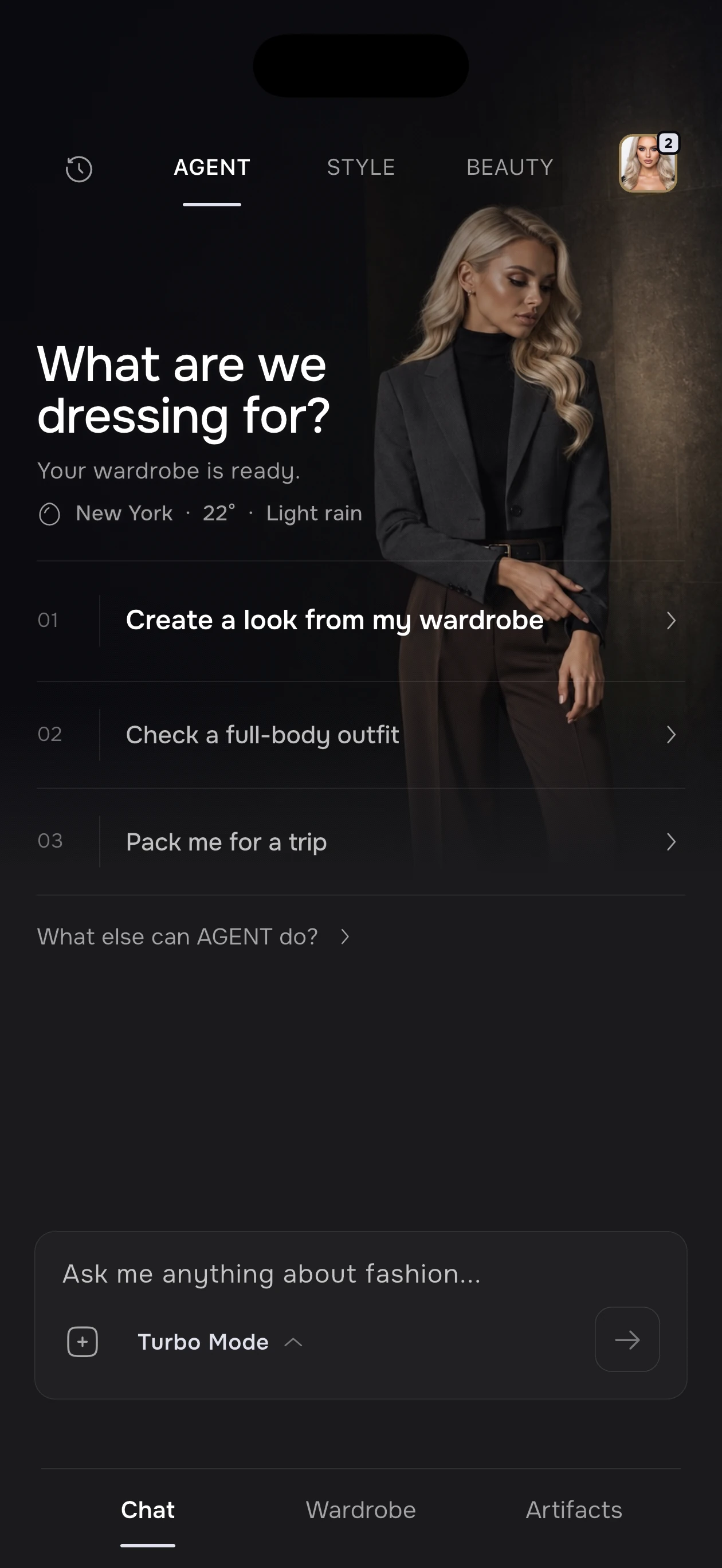
Ask what to wear for a rainy commute, how to style a jacket, or what to pack. SELION Agent uses the clothes you have added, your stated preferences and the context you share to suggest a useful next step.
Start with a question such as “What can I wear with my navy jacket?” Agent can find relevant wardrobe items, explain combinations and help you move into outfit creation or planning.
Name the moment, the practical constraint and what kind of answer you want.
Add a few representative garments, then ask Agent to find pieces by color, category, season or the occasion.
Review proposed actions in Default mode. Turbo can continue automatically for eligible actions; some changes still need confirmation.
Saved looks, try-ons, checks and plans remain available in Artifacts where the current app supports them.
Move between a styling conversation and the clothes behind it. Find an item you already own, ask how to combine it, then review a generated look or plan in the relevant app screen.
Find clothing you have saved by color, category, season or what you need it for.
Propose a daily look when enough owned items are available.
Ask for a combination built around a garment, occasion or practical constraint.
Connect a reviewed look to trip, capsule or calendar workflows.
Keep preferences, dislikes and upcoming plans available for future styling conversations.
Move from the conversation to the wardrobe, outfit tools and planning screens available in the app.
Important limitation: Agent can misunderstand your preferences or situation. Check the actual clothes, fit, weather and dress code. Some actions require confirmation, and paid features depend on your current plan.
Yes. Add clothing to your digital wardrobe, then ask Agent to find pieces or use them as context for styling suggestions.
Turbo lets eligible actions continue automatically. Actions that require your confirmation still ask, and paid features still depend on your plan.
It can remember styling preferences you share, such as colors you avoid, comfort requirements or an upcoming occasion, and use them in later conversations.
Artifacts collects supported saved outcomes such as looks, try-ons, outfit checks and plans.
Install SELION.AI, add a small set of representative clothes, and review every result against the real garment and your own judgment.
Example input: Use my saved clothes for a business-casual day. Keep my navy jacket, avoid the white shirt that is in the wash, and use flat shoes.
What to inspect: Match the suggested pieces to owned records, check the exclusion, and inspect the result of any confirmed action. A fluent reply or action offer alone does not prove a saved result.
These are reproducible exercises, not reported test results. Product descriptions and official store sources reviewed November 4, 2026. Features, purchase terms and allowances depend on the current version, platform and account.
Four workflow tests and a blank results worksheet · Apple App Store · Google Play
Explore the connected workflow: Clothing Photo Recognition · AI Outfit Generator · Outfit Check · AI Wardrobe. For current availability, pricing and data handling, check the live stores and the privacy policy.